Training Manual
Everything you need to install, configure, and master OrgCentri. From your first local sync to advanced Agentforce auditing.
Quick Start
OrgCentri is a Local-First application. There is no cloud signup. You simply download the binary and run it on your machine.
Connecting Your Org
Navigate to System Configuration (⚙️). OrgCentri uses a direct OAuth 2.0 connection to Salesforce. Your credentials verify directly against Salesforce (Production, Sandbox, or Custom Domain).
Prerequisites
To run OrgCentri, the connecting user requires a Profile or Permission Set with at least:
- API Enabled (Standard)
- View Setup and Configuration (For Metadata)
- View All Users (For Identity)
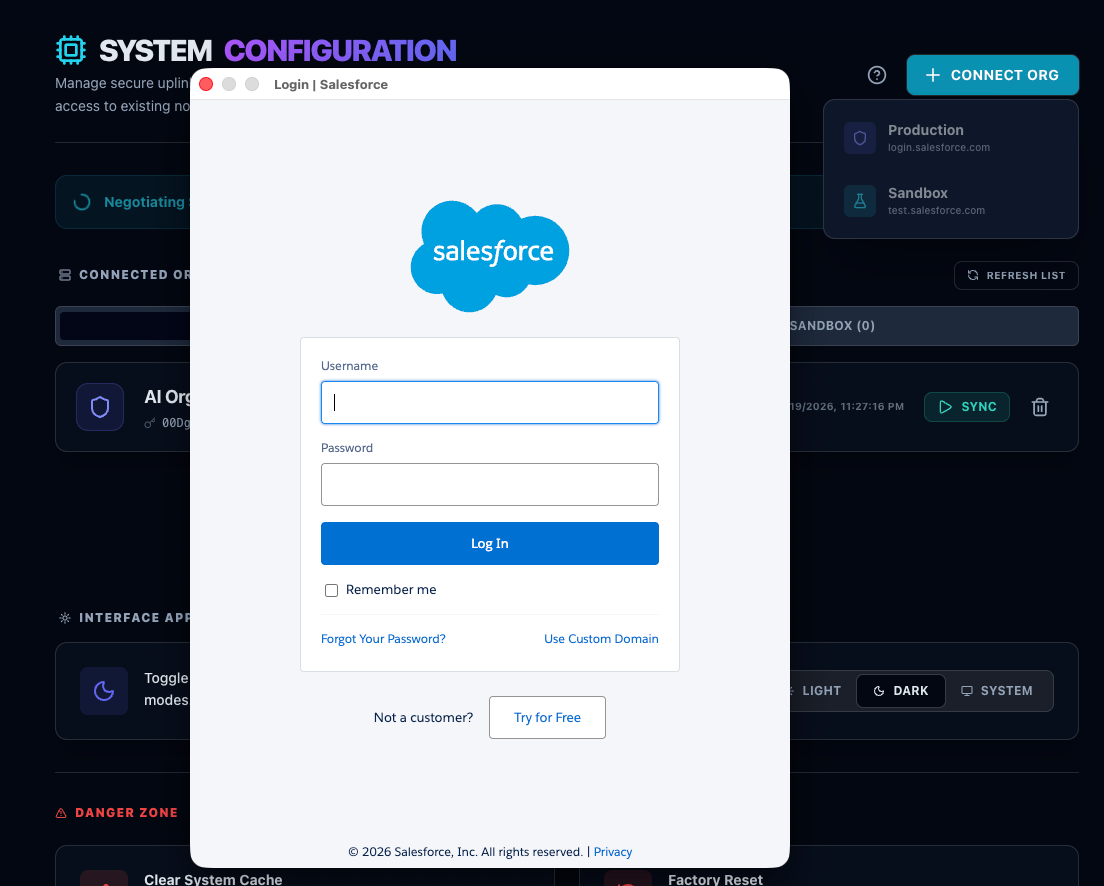
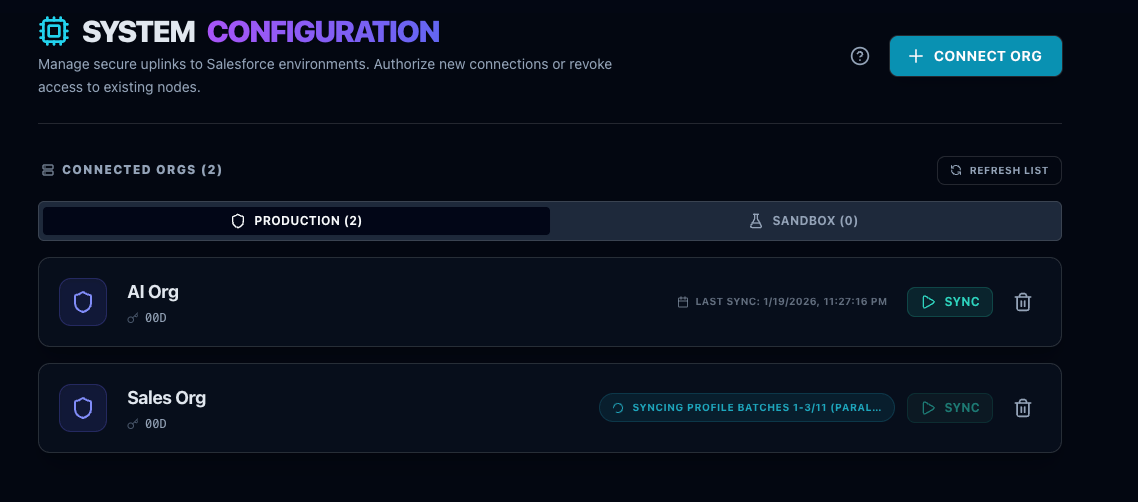
The First Sync
OrgCentri pulls metadata locally to establish a "Golden Baseline." This allows for offline analysis and drift detection.
Command Center
The executive dashboard. Get a pulse on your Org's health in seconds.
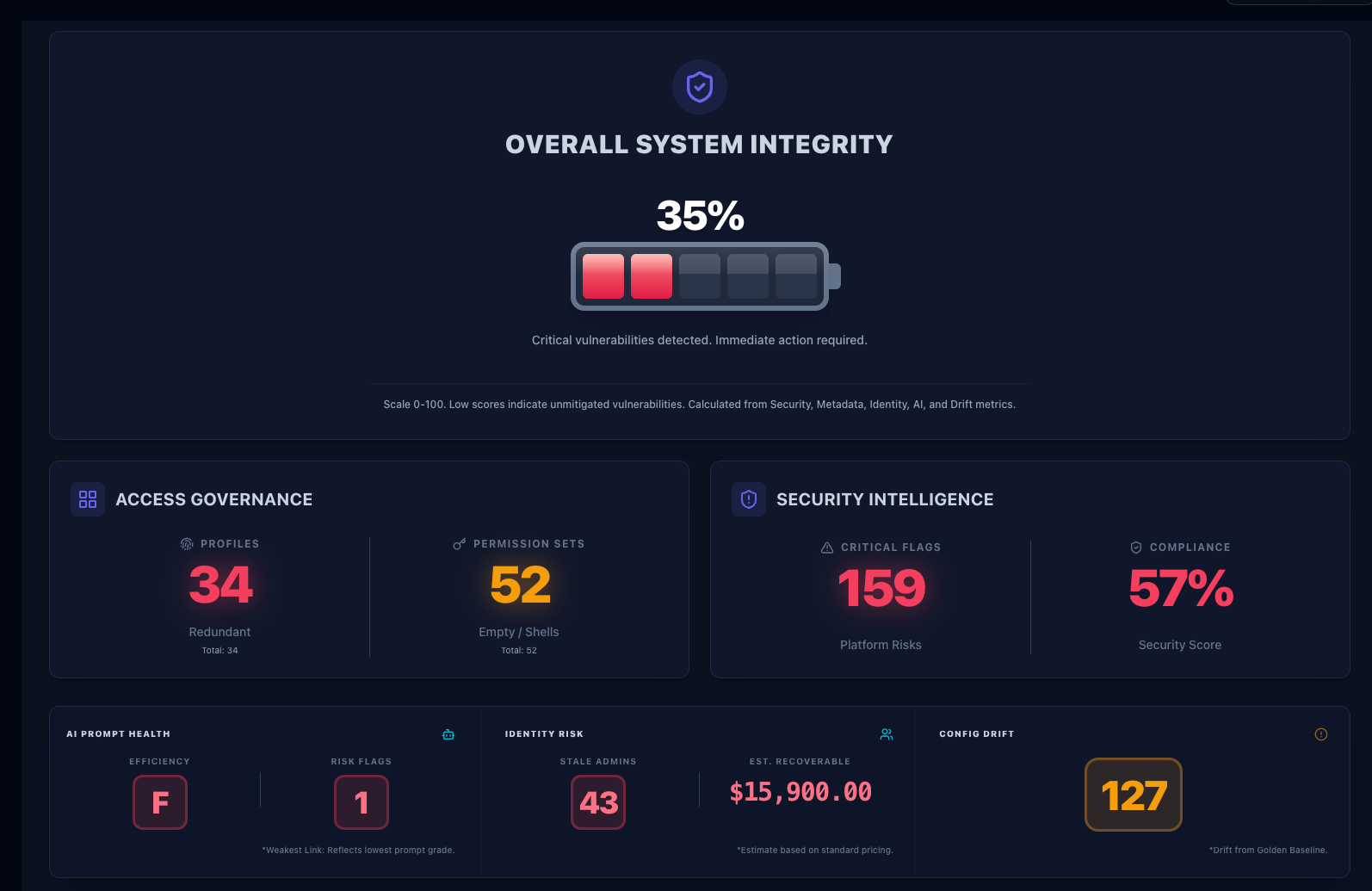
- Compliance Score: Aggregate risk calculated from 50+ security checks.
- License Waste: Real $$$ value of inactive users holding paid licenses.
- Drift Velocity: How fast your configuration is changing vs. the baseline.
Agent Intelligence
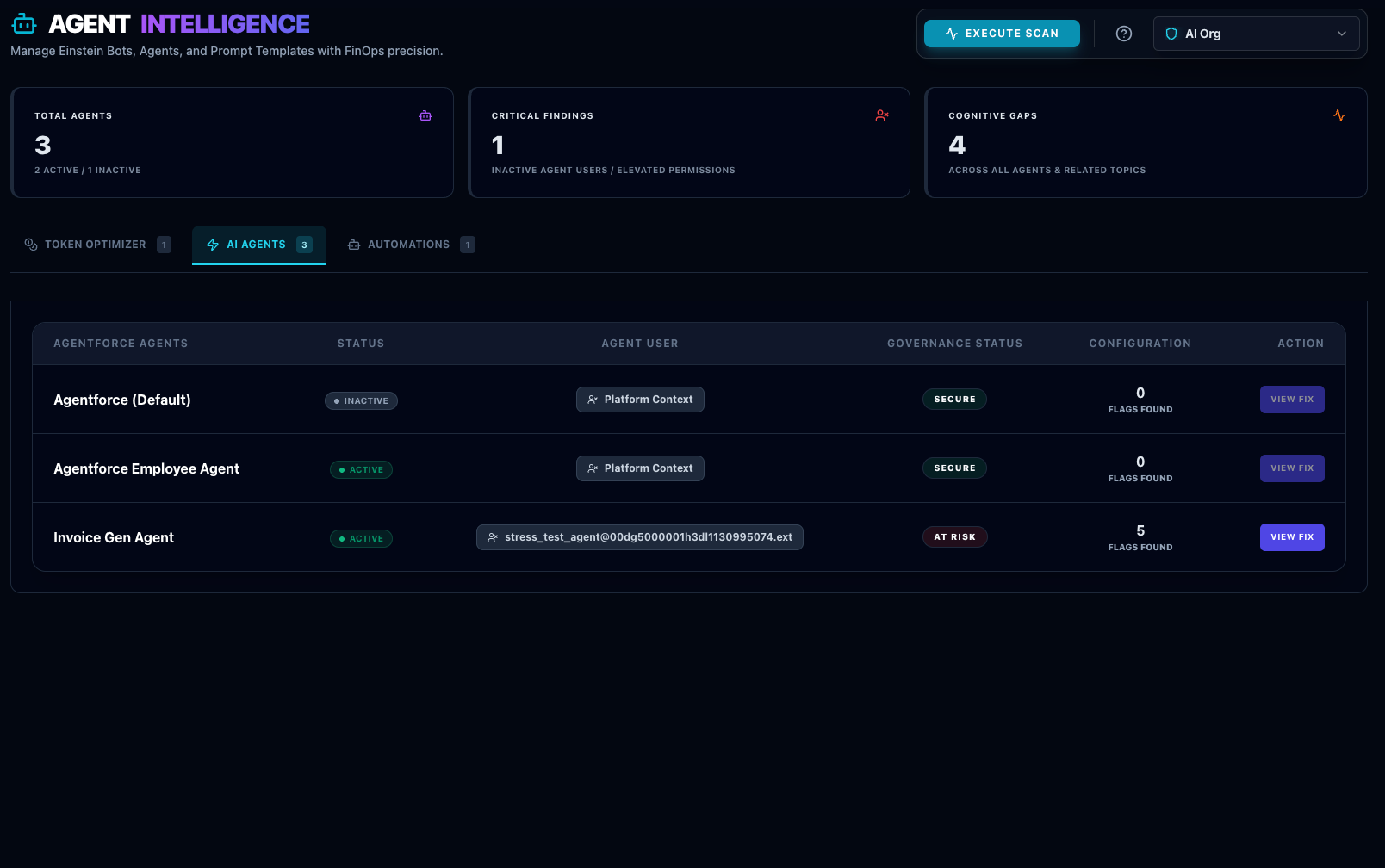
Comprehensive audit of your AI footprint. This module is divided into three governance layers.
A. Token Optimizer
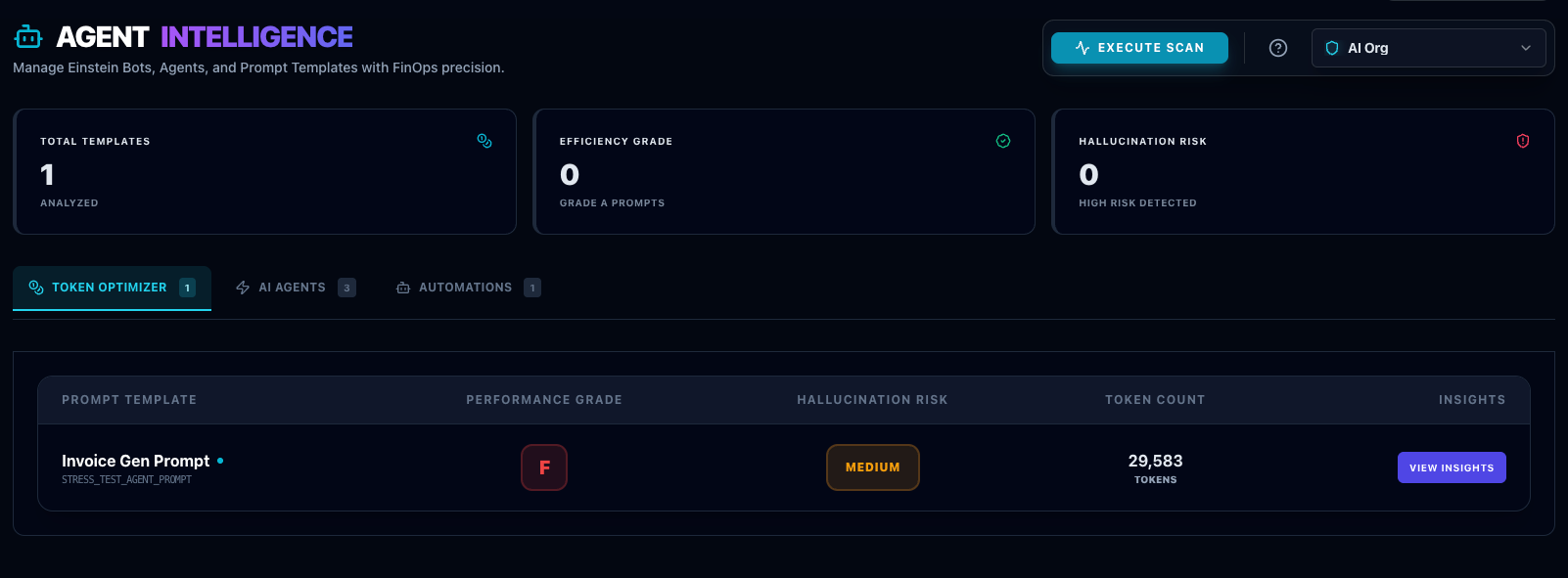
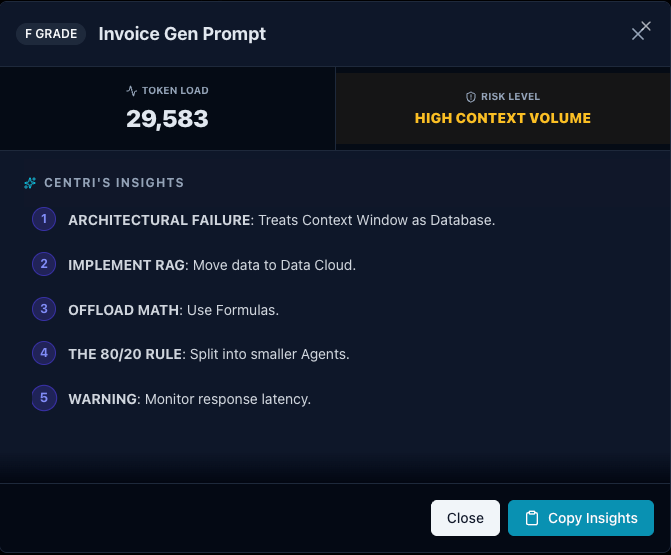
Analyzes GenAiPromptTemplate metadata using a "Smart Grading" matrix that weighs Token Volume against Structural Delimiters (XML tags, headers, JSON).
| Token Count | With Structure (Delimiters used) | Without Structure (Wall of text) |
|---|---|---|
| 0 - 1,000 | Grade A (Optimal) | Grade B (Acceptable) |
| 1,000 - 4,000 | Grade B (Standard) | Grade C (Risk of Confusion) |
| 4,000 - 8,000 | Grade C (Heavy Load) | Grade F (High Risk) |
| 8,000+ | Grade D (Near Limit) | Grade F (Critical Failure) |
Hallucination Risk
- HIGH > 2,000 Tokens AND No Structure. Requires immediate semantic delimiters.
- MED > 8,000 Tokens (High Context Volume). Risk of "Lost in the Middle" phenomenon.
Performance Archetypes
- Grade A: The Specialist (< 1k tokens)
- Grade B: The Generalist (< 4k tokens)
- Grade C: The Monolith (< 8k tokens + Structured)
- Grade F: The Library (Unstructured > 4k)
B. Agent Governance
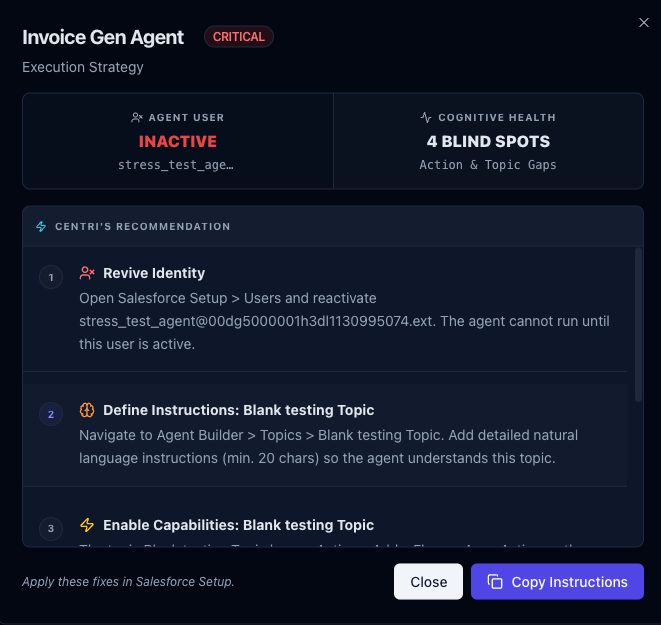
Detects security risks in Agentforce Agents.
- • God Mode: Agents with 'Modify All Data' permissions.
- • Ghost Agents: Agents assigned to inactive users.
- • Cognitive Gaps: Topics with zero instructions or weak routing.
C. Bot Governance
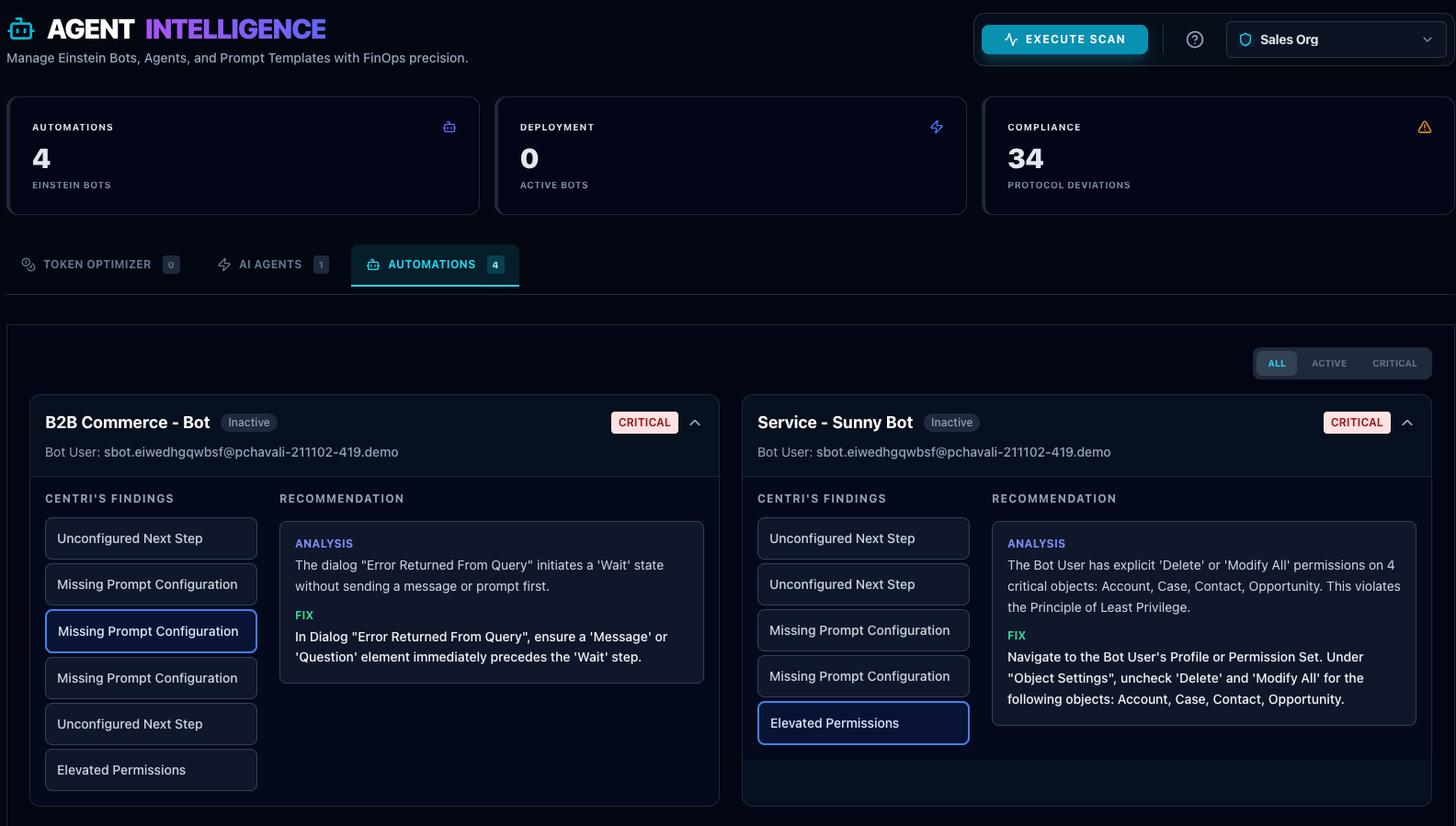
Scans legacy Einstein Bots for logic gaps (Dead-end dialogs) and unconfigured next steps.
Profile Intelligence
Reduce technical debt by identifying Redundant and Empty profiles. OrgCentri compares XML structures to find exact duplicates.
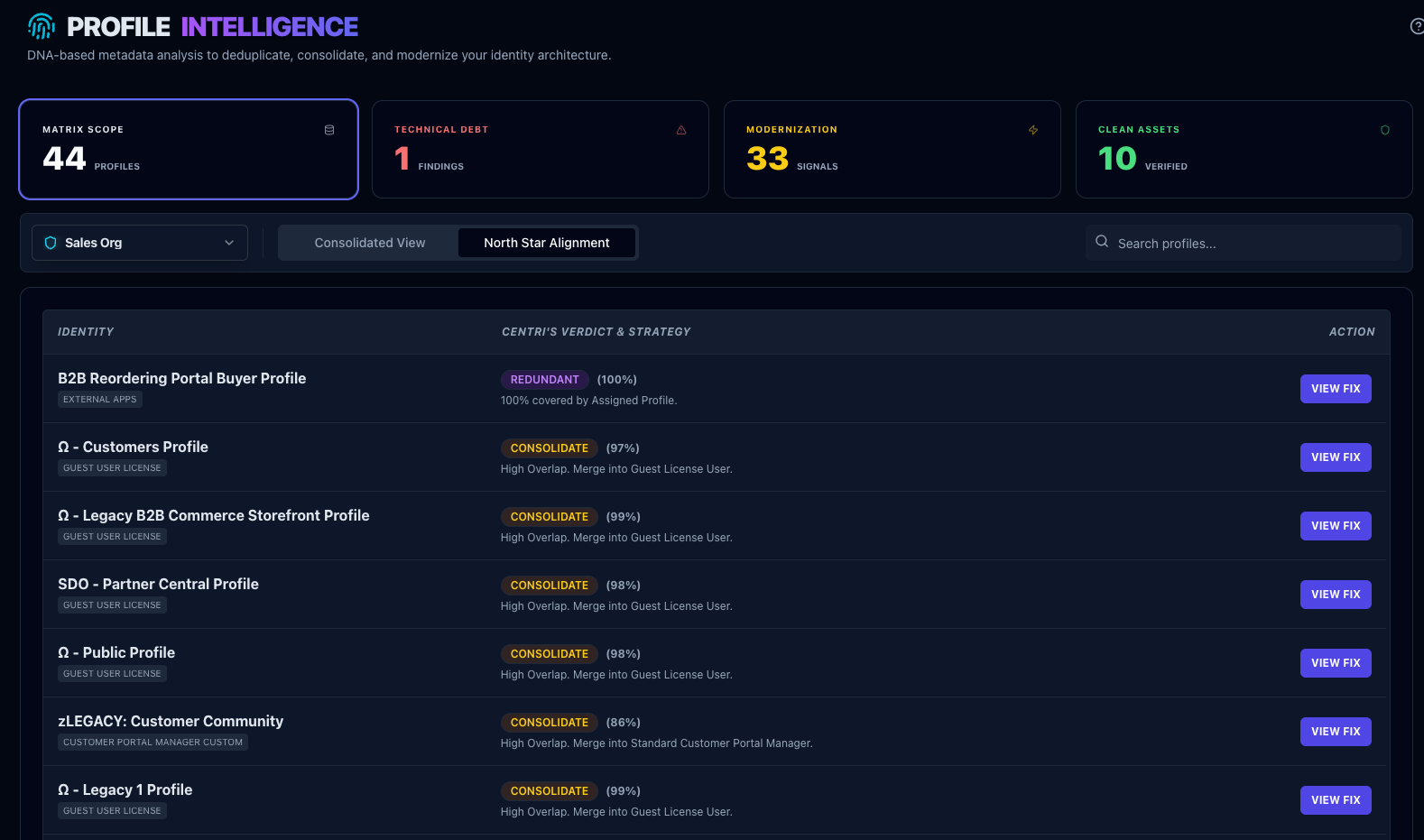
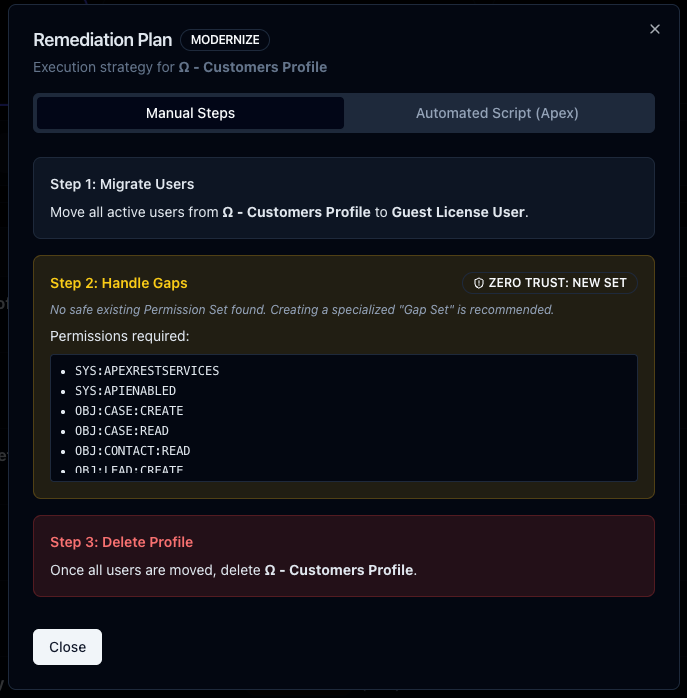
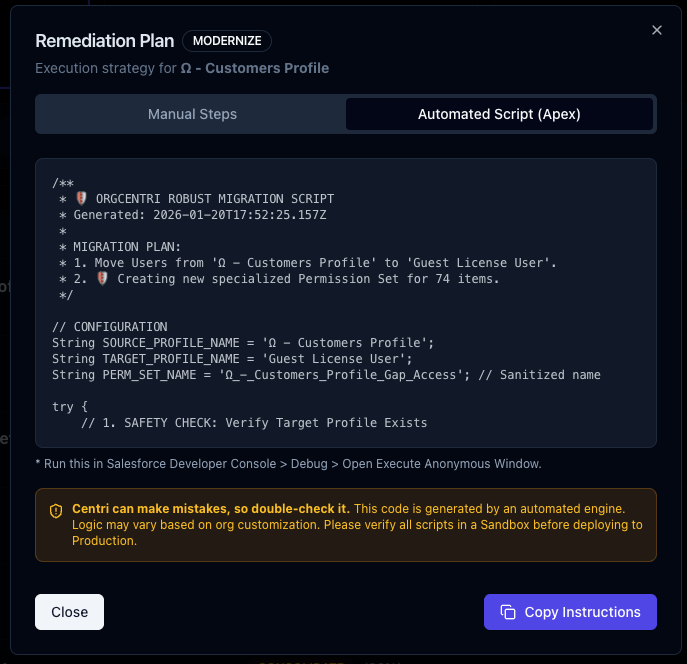
Use the generated Apex / CLI Scripts to safely merge or delete profiles.
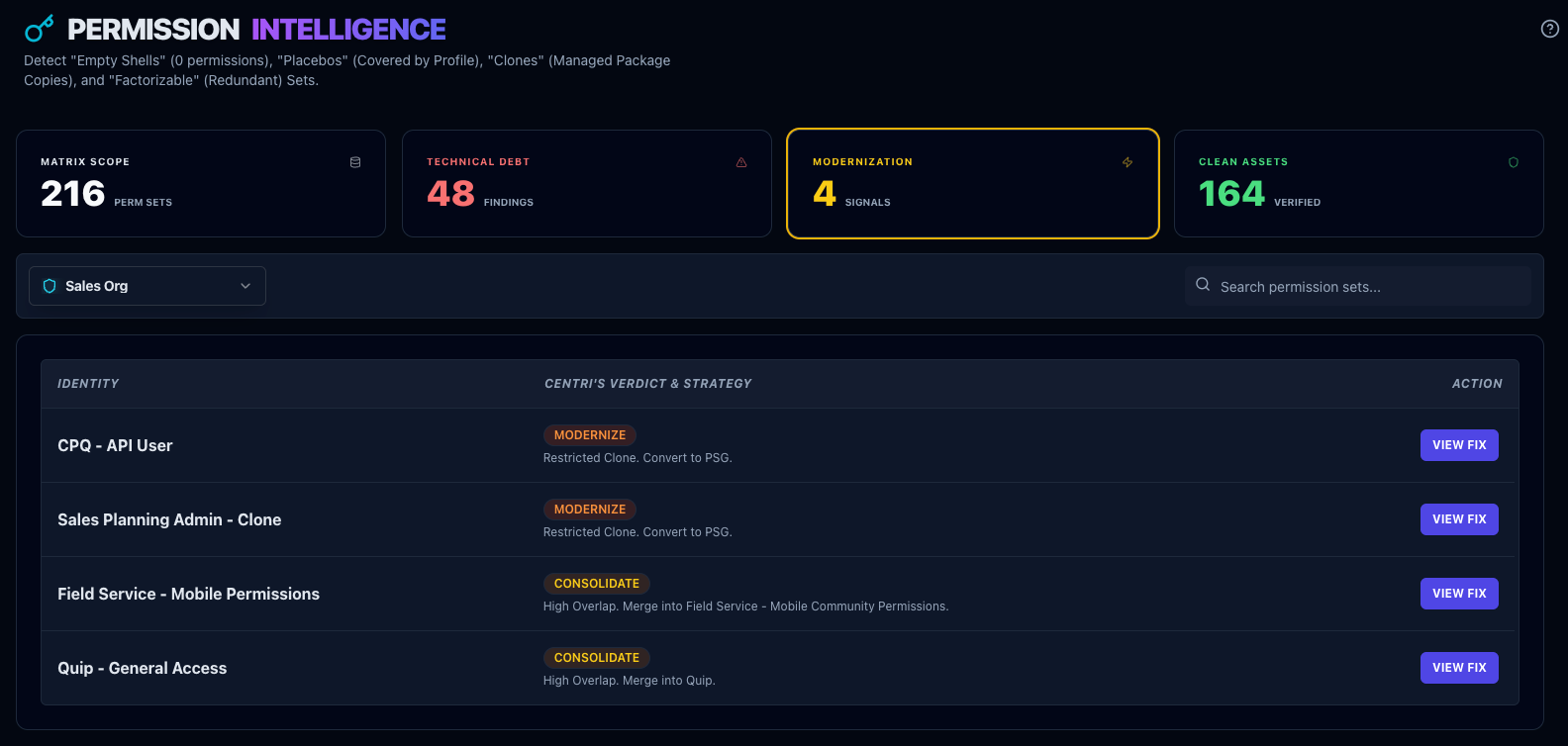
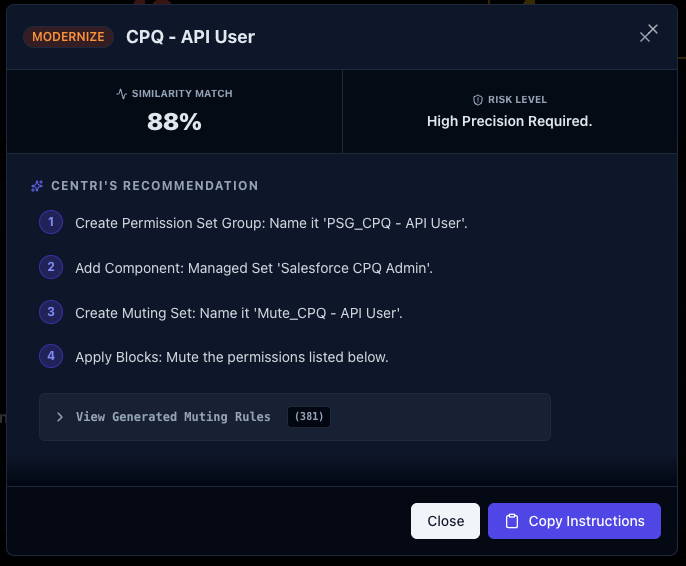
Permission Intelligence
Audit Permission Sets for dangerous privileges and empty shells.
Config Drift
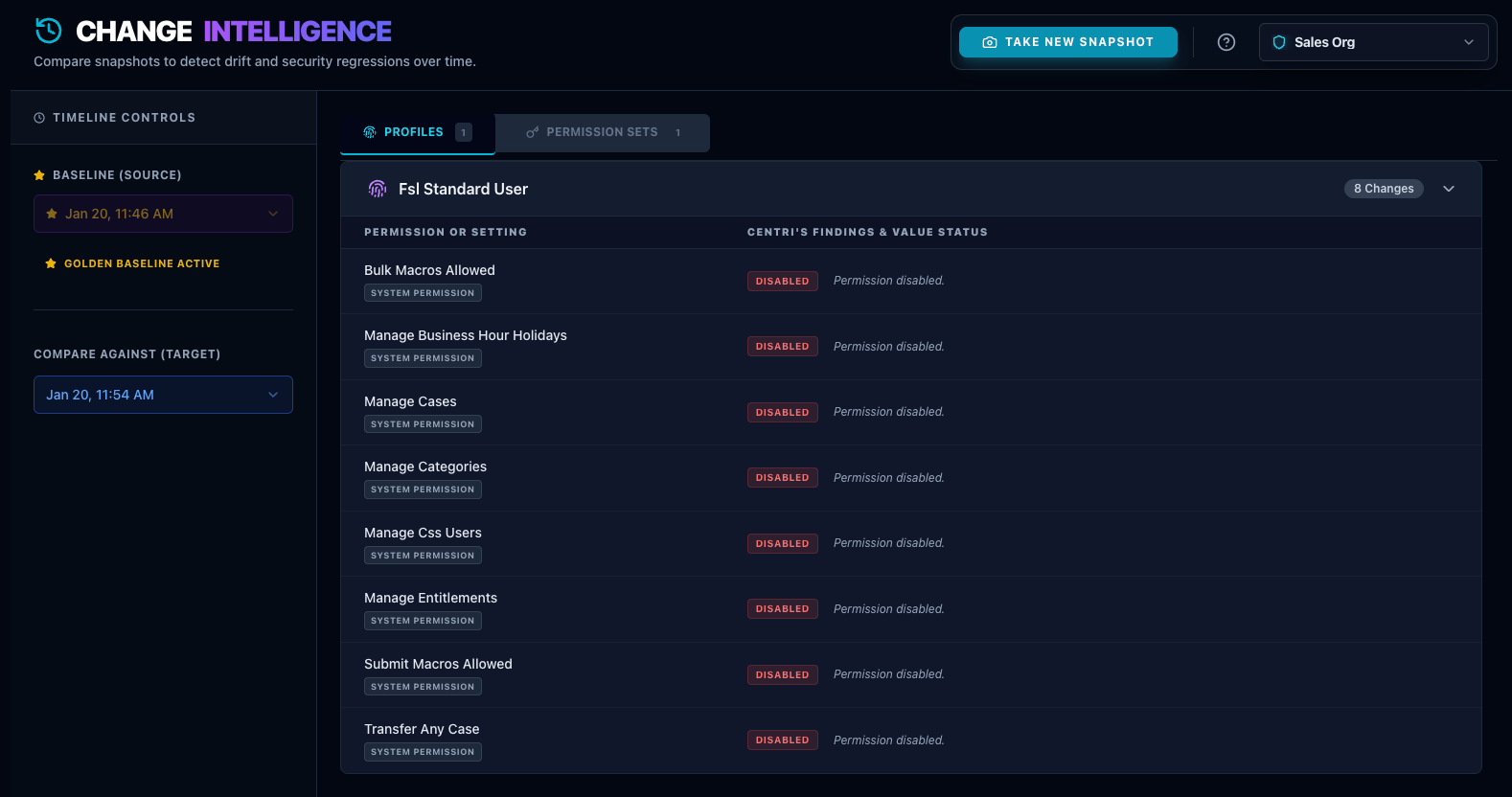
The "Time Machine" for your Metadata. Compare any two snapshots to see exactly what changed.
- Green: Added items.
- Red: Removed items.
- Yellow: Modified values.
Security & Identity
Secure your perimeter by auditing System Admins and Critical Security Settings.
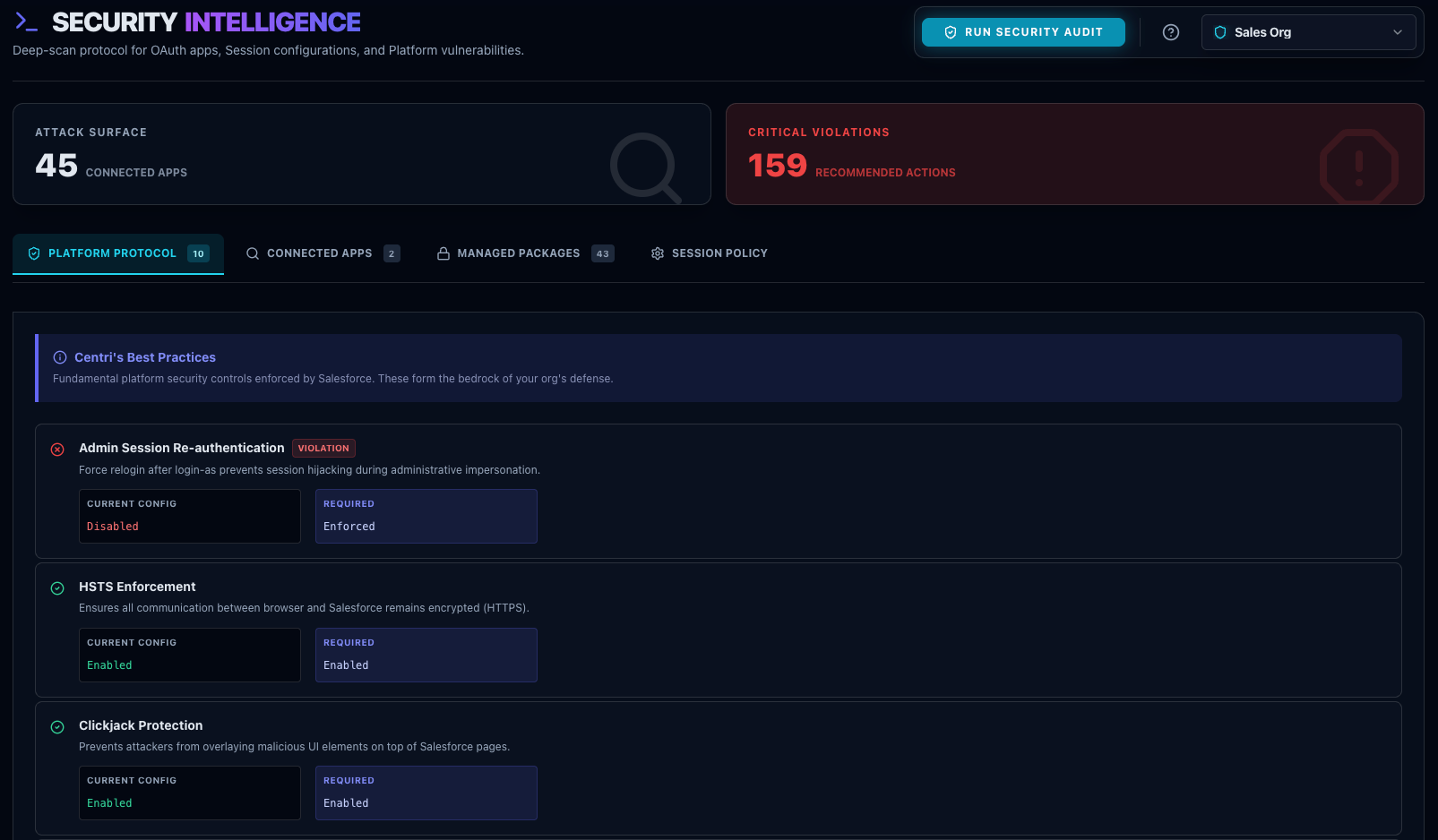
Security Intelligence
Audits Session Settings, Password Policies, and Network Access.
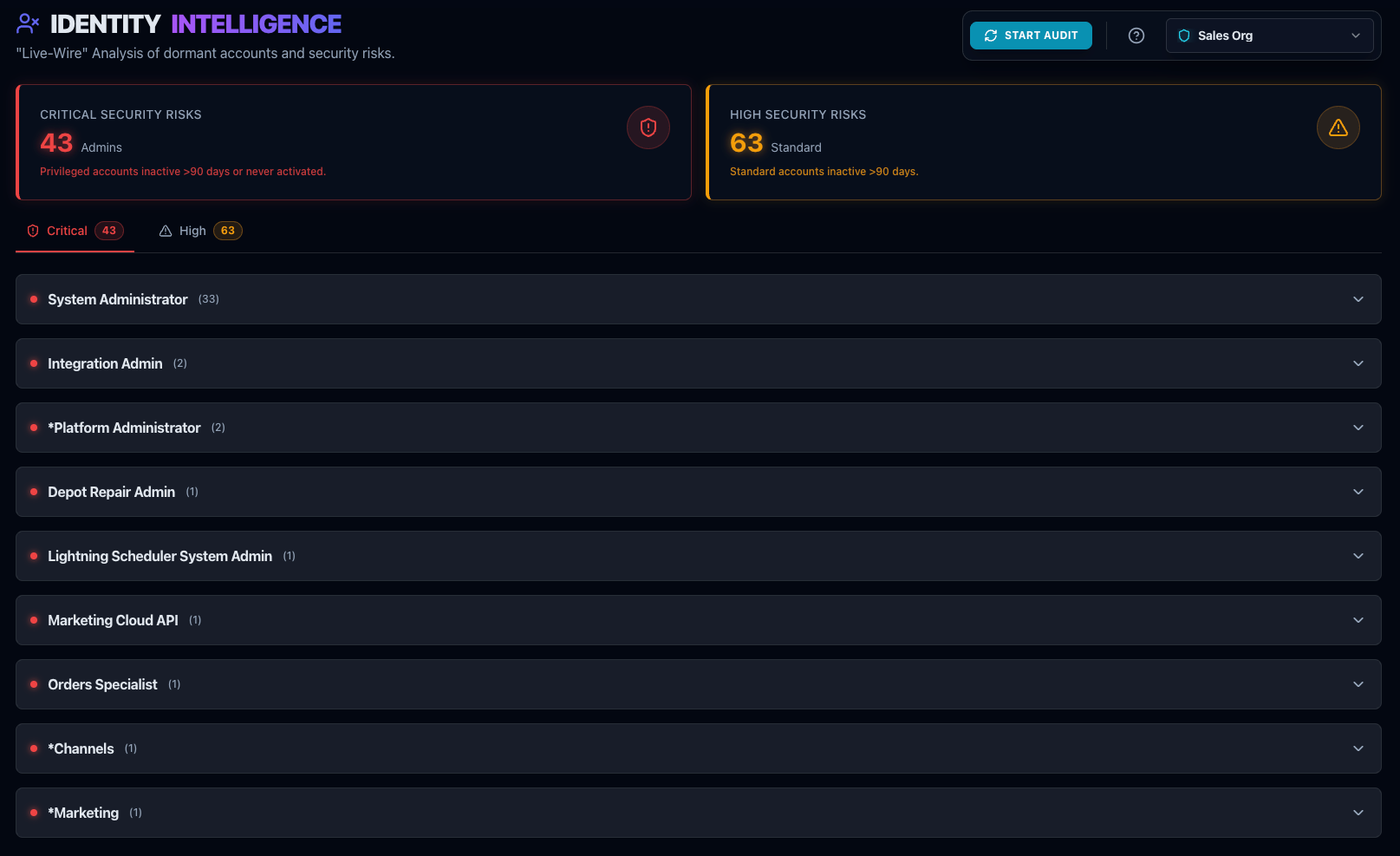
Identity Intelligence
Flags "Stale Admins" (Active users >90 days inactive).
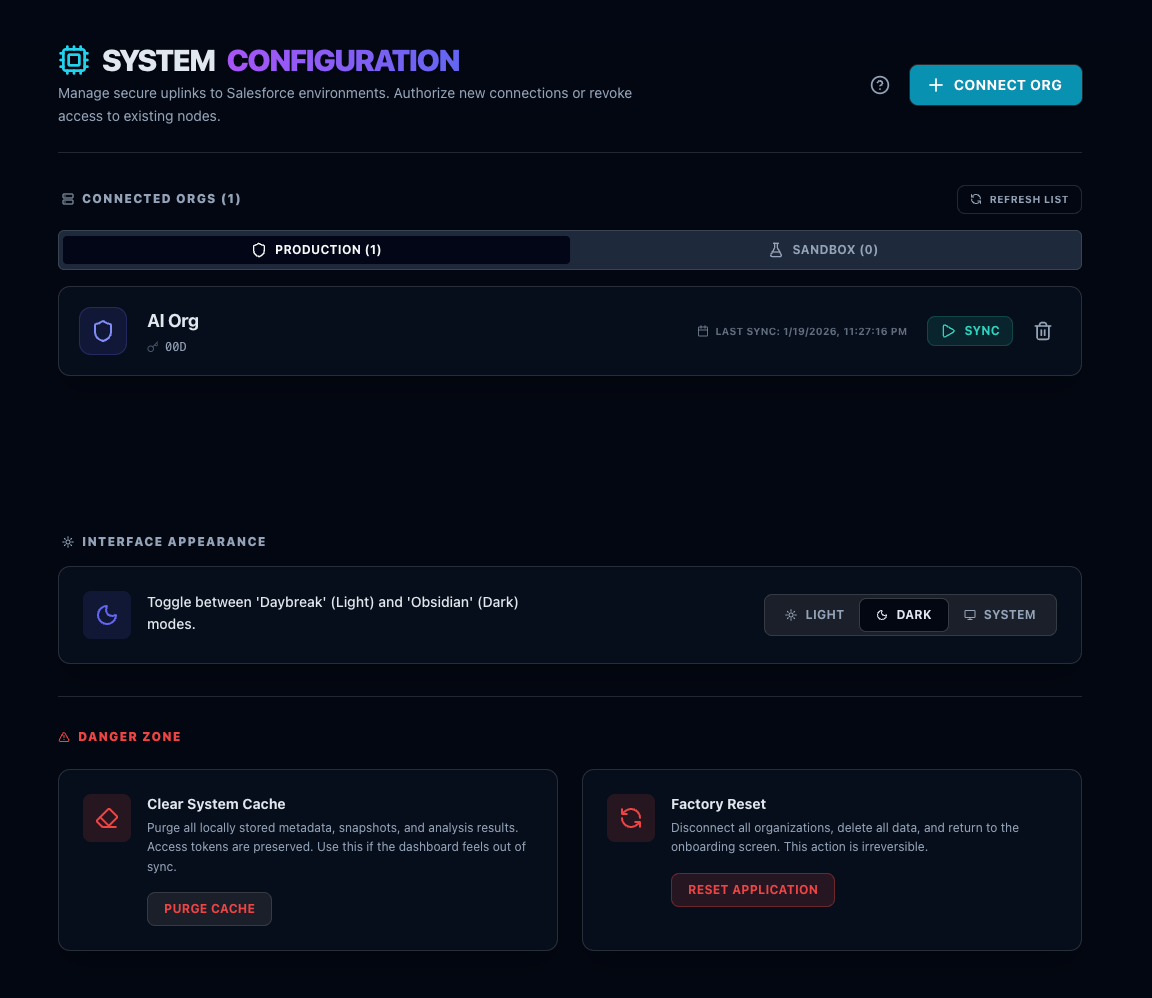
System Configuration
Manage connected orgs, clear local cache, and manage your local database.
Troubleshooting
macOS: "App is Damaged"
If Gatekeeper blocks the app on macOS Sequoia/Sonoma, run this command in Terminal:
xattr -cr /Applications/OrgCentri.appWindows: "Windows protected your PC"
SmartScreen may flag the app because the signing certificate is new. Click More Info → Run Anyway.
Port 5173 is already in use
Restart your computer or kill the 'OrgCentri' process in Task Manager / Activity Monitor.
Org Won't Connect
Check if you are on a VPN blocking WebSocket connections, or if your Salesforce Org has IP Restrictions enabled.